Swiftnotes.ai Subtitles: Transform YouTube Videos into AI-Generated Notes Instantly!
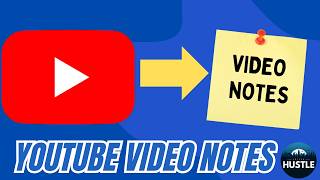
Swiftnotes.ai: Transform YouTube Videos into AI-Generated Notes Instantly!
EdTech Hustle
SRT - Most compatible format for video players (VLC, media players, video editors)
VTT - Web Video Text Tracks for HTML5 video and browsers
TXT - Plain text with timestamps for easy reading and editing
Scroll to view all subtitles
hey and welcome to edac hustle today we
are going to take a look at Swift notes
AI the website that will allow you to
create a breakdown of any YouTube video
but before we begin I am trying out this
I'm going to be sharing this video with
this animated character for a future
video so if you are interested in
learning how I did a video like this
with this animated character please feel
free to subscribe and I'm going to show
show you how but anyways the website is
called Swift notes. and if you're like
me and you watch a ton of YouTube videos
this website is going to use AI to
generate notes in seconds so you can go
to the website Swift notes. a it's
completely free you don't have to sign
in up or log in or do anything initially
you'll see at the bottom that there are
three free notes that you can generate
so here's an example a great interview
from Joe Rogan with Mark Zuckerberg now
this is almost three hours long and I'd
love to hear what what Mark Zuckerberg
has to say but I don't want to skim
through and I don't want to sit through
all three hours so what I'm going to do
is to click on this share button and I'm
just going to copy this link I'm back on
to Swift notes. a I'm going to paste my
link and now let me go ahead and
generate some notes So based on the
transcript you can see it is going to
just really in seconds break down this
entire
3our YouTube video and not only does it
give me sections like this like it gives
me these notes of what our subject has
to say but it also gives me a Tim stamp
so if I'm scrolling through and I'm
reading how uh Mark Zuckerberg has
something to say about YouTube I can
click on this timestamp and it's going
to take me directly to the part in this
video where he talks about YouTube so
this goes on and on all three hours long
there's a couple things you can do with
this breakdown so one thing you can do
is to download the PDF file you can see
that that file just has downloaded you
can also copy the text or you can copy a
link to share with someone else where
they can read your recap now it also
looks like there's a feature that says
quiz me where you can automatically
generate a quiz so if you're a teacher
and you have a long video that you want
to share with students you ALS also have
the option to generate a quiz on here or
if you're just studying for a topic you
can even watch the video get a breakdown
and generate 10 questions so let me just
go ahead and enter this perfect I got
that one correct and you can go through
and and finish this so some really
awesome features so I mentioned I
downloaded the uh the PDF file a second
ago here's what it looks like it is a
PDF document which again also has
specific YouTube links that will take
you directly to that that part in the
video so something that's kind of
helpful now the other thing that you'll
notice is right over here at the top
there's also this tldd which stands for
too long didn't read if I click on
that it's now going to give me just the
breakdown of that video so if that long
note section is too long for me I don't
want to even read that there is a way
that it will take all of those notes and
consolidate them to just a few
paragraphs you can see right over here
so a really nice feature that's
available all for free from Swift notes.
now that is URL mode there's also
another feature that is a pro feature
and that is research mode where you can
type in a topic and Swift notes will
generate some videos which might be
helpful for you now speaking of that
this is the free version like I said you
can use three different videos to
generate notes for using the the free
version without even having to sign up
for an account now if you scroll to the
top and you select
GoPro you can see how this is
$55.99 a month and that will get you all
of these benefits as far as just the
free version which kind of let to try it
so again the website is Swift noes. a if
you watch a lot of YouTube videos and
you don't want to sit through and watch
all of them this is a great way to break
down videos into notes it's fast it's
easy and more importantly it's free so
thank you so much for watching watching
this video and again keep an eye open
for the video where I show you how you
can create explainer videos with
animated characters like this thanks
again for watching and have a great day
[Music]
Full transcript without timestamps
hey and welcome to edac hustle today we are going to take a look at Swift notes AI the website that will allow you to create a breakdown of any YouTube video but before we begin I am trying out this I'm going to be sharing this video with this animated character for a future video so if you are interested in learning how I did a video like this with this animated character please feel free to subscribe and I'm going to show show you how but anyways the website is called Swift notes. and if you're like me and you watch a ton of YouTube videos this website is going to use AI to generate notes in seconds so you can go to the website Swift notes. a it's completely free you don't have to sign in up or log in or do anything initially you'll see at the bottom that there are three free notes that you can generate so here's an example a great interview from Joe Rogan with Mark Zuckerberg now this is almost three hours long and I'd love to hear what what Mark Zuckerberg has to say but I don't want to skim through and I don't want to sit through all three hours so what I'm going to do is to click on this share button and I'm just going to copy this link I'm back on to Swift notes. a I'm going to paste my link and now let me go ahead and generate some notes So based on the transcript you can see it is going to just really in seconds break down this entire 3our YouTube video and not only does it give me sections like this like it gives me these notes of what our subject has to say but it also gives me a Tim stamp so if I'm scrolling through and I'm reading how uh Mark Zuckerberg has something to say about YouTube I can click on this timestamp and it's going to take me directly to the part in this video where he talks about YouTube so this goes on and on all three hours long there's a couple things you can do with this breakdown so one thing you can do is to download the PDF file you can see that that file just has downloaded you can also copy the text or you can copy a link to share with someone else where they can read your recap now it also looks like there's a feature that says quiz me where you can automatically generate a quiz so if you're a teacher and you have a long video that you want to share with students you ALS also have the option to generate a quiz on here or if you're just studying for a topic you can even watch the video get a breakdown and generate 10 questions so let me just go ahead and enter this perfect I got that one correct and you can go through and and finish this so some really awesome features so I mentioned I downloaded the uh the PDF file a second ago here's what it looks like it is a PDF document which again also has specific YouTube links that will take you directly to that that part in the video so something that's kind of helpful now the other thing that you'll notice is right over here at the top there's also this tldd which stands for too long didn't read if I click on that it's now going to give me just the breakdown of that video so if that long note section is too long for me I don't want to even read that there is a way that it will take all of those notes and consolidate them to just a few paragraphs you can see right over here so a really nice feature that's available all for free from Swift notes. now that is URL mode there's also another feature that is a pro feature and that is research mode where you can type in a topic and Swift notes will generate some videos which might be helpful for you now speaking of that this is the free version like I said you can use three different videos to generate notes for using the the free version without even having to sign up for an account now if you scroll to the top and you select GoPro you can see how this is $55.99 a month and that will get you all of these benefits as far as just the free version which kind of let to try it so again the website is Swift noes. a if you watch a lot of YouTube videos and you don't want to sit through and watch all of them this is a great way to break down videos into notes it's fast it's easy and more importantly it's free so thank you so much for watching watching this video and again keep an eye open for the video where I show you how you can create explainer videos with animated characters like this thanks again for watching and have a great day [Music]
Keep this transcript
Save it to LunaNotes and it becomes a real note in your library — editable, searchable, and ready to turn into flashcards or a diagram. Free to start.
Save to LunaNotesOr download subtitles for another video.


32K+ people have turned 65K+ videos into notes
“Very useful tool. I'm using it for the last couple weeks and I'm loving it so far. Makes learning on YouTube a great experience.”
 Bhai Chrome Web Store review
These subtitles were extracted using the Free YouTube subtitle downloader by LunaNotes.
Related videos

Download Subtitles for 3 SIMPLE Ways to Make $2000 with AI
Easily download accurate subtitles for the video '3 SIMPLE Ways to Make $2000 with AI' and enhance your understanding of powerful AI money-making strategies. Improve accessibility, follow along effortlessly, and never miss a detail with our clear captions.
Download Subtitles for Write Viral Scripts For YouTube Videos
Download accurate subtitles for the video 'Write Viral Scripts For YouTube Videos' to enhance your learning experience. Subtitles make it easier to follow along, improve comprehension, and help you create engaging content effectively.

Download Accurate Subtitles and Captions for Your Videos
Easily download high-quality subtitles to enhance your video viewing experience. Subtitles improve comprehension, accessibility, and engagement for diverse audiences. Get captions quickly for better understanding and enjoyment of any video content.

How to Earn $20 Per Day with AI - Subtitles Download
Download subtitles for the complete beginner guide on earning $20 daily with AI without any investment. Enhance your understanding by following along with accurate captions, making it easier to grasp each step and optimize your earning potential.
Download Subtitles for Azure AI Foundry Basic Agent Setup
Enhance your learning experience by downloading accurate subtitles for the Azure AI Foundry Basic Agent Setup video. Follow step-by-step instructions easily with clear captions, ensuring you don't miss any crucial details. Perfect for accessibility and improved comprehension.
Most viewed

Untertitel für 'Nicos Weg' Deutsch lernen A1 Film herunterladen
Laden Sie die Untertitel für den gesamten Film 'Nicos Weg' herunter, um Ihr Deutschlernen auf A1 Niveau zu unterstützen. Untertitel helfen Ihnen, Wortschatz und Aussprache besser zu verstehen und verbessern das Hörverständnis effektiv.

Subtítulos para TIPOS DE APEGO | 6 DE COPAS Episodio 56
Descarga los subtítulos para el episodio 56 de la tercera temporada de 6 DE COPAS, centrado en los tipos de apego. Mejora tu comprensión y disfruta del contenido en detalle con nuestros subtítulos precisos y accesibles.

Download Subtitles for Harvard CS50 2026 Computer Science Course
Enhance your learning experience with downloadable subtitles for the Harvard CS50 2026 full computer science course. Easily follow along with lectures, improve comprehension, and access the content offline anytime. Perfect for students and enthusiasts aiming to master computer science concepts.

ดาวน์โหลดซับไตเติ้ล DMD LAND 3 The Final Land Day 1
ดาวน์โหลดซับไตเติ้ลสำหรับวิดีโอ DMD LAND 3 The Final Land Day 1 เพื่อช่วยให้เข้าใจเนื้อหาได้ง่ายขึ้น และเพิ่มความสะดวกในการติดตามทุกช่วงเวลา เหมาะสำหรับผู้ชมที่ต้องการความชัดเจนและเข้าถึงข้อมูลอย่างครบถ้วน

Descarga Subtítulos para NARCISISMO | 6 DE COPAS - Episodio 63
Accede fácilmente a los subtítulos del episodio 63 de '6 DE COPAS', centrado en el narcisismo. Descargar estos subtítulos te ayudará a entender mejor el contenido y mejorar la experiencia de visualización.
Found this transcript useful?
Take it with you. One click puts it in your own LunaNotes library.
Save to LunaNotes