Understanding Memory Hierarchy: Caches, SRAM, and DRAM Explained
The Memory System Problem in Modern Computers
The lecture addresses a fundamental engineering challenge: the disparity between fast processor speeds and slow main memory access. While processors execute instructions in nanoseconds, accessing main memory (DRAM) takes approximately 40 nanoseconds - creating a order-of-magnitude performance gap. This is part of a broader topic on Understanding Computer Memory: RAM, ROM, HDD, SSD, and More.
Memory Technologies Overview
Static RAM (SRAM)
- Structure: Built from bistable inverter loops (6 transistors per cell)
- Speed: Tens of picoseconds latency
- Capacity: Limited; expensive per bit
- Usage: Register files, processor caches
- Operation: Uses analog sense amplifiers for fast reads; strong drivers for writes
Dynamic RAM (DRAM)
- Structure: Single transistor + capacitor per cell
- Capacity: Billions of bits per chip (gigabytes per system)
- Latency: ~40 nanoseconds
- Refresh Requirement: Must read and rewrite every cell every ~10 milliseconds
- Pipelining: DDR technology transfers data on both clock edges
Hard Disk Drives
- Capacity: Hundreds of gigabytes to terabytes
- Latency: Milliseconds (mechanical positioning)
- Technology: Magnetic medium with spinning platters
The Memory Hierarchy Solution
Key Insight: Locality of Reference
Programs exhibit predictable access patterns:
- Sequential instruction fetching (PC increments by 4)
- Loop behavior (repeated access to same addresses)
- Stack frame access (working within current activation record)
- Array traversal (sequential data access)
Two Implementation Strategies
-
Software-Managed (Seymour Cray's approach): Programmer explicitly manages data movement between fast and slow memory
-
Hardware-Managed (Modern approach): Automatic cache system that:
- Recognizes access patterns
- Pre-fetches anticipated data
- Handles replacement automatically
Cache Architecture Fundamentals
Cache Operation
- Hit: Requested address found in cache (fast response)
- Miss: Address not in cache (must fetch from main memory)
- Target hit rate: >95% for acceptable performance
Cache Organization Types
| Type | Hardware Cost | Flexibility | Collision Handling | |------|---------------|-------------|-------------------| | Fully Associative | Very High | Maximum | No collisions (any address can map anywhere) | | Direct Mapped | Low | Limited | Collisions possible; each address maps to exactly one slot |
Fully Associative Cache
- Parallel search across all cache lines
- Each entry requires: data storage + full address tag + comparator
- Expensive but eliminates collision problems
Direct Mapped Cache
- Uses low-order address bits as index to determine cache slot
- Only one comparison needed per access
- Lower hardware cost but potential contention
- Works well with sequential memory access patterns (addresses map to different slots)
Performance Requirements
To achieve average access time close to cache speed:
Example calculation:
- Cache access time: 4 nanoseconds
- Main memory access time: 40 nanoseconds
- Required hit rate: ~97% to achieve 5ns average access time
Conclusion and Next Steps
The lecture establishes the foundation for understanding cache memory systems. For more on basic memory elements, see Understanding Gated Dlatches: One-Bit Memory Devices Explained. The next lecture will explore the "happy middle ground" between fully associative and direct-mapped caches, which is the architecture actually used in modern processors.
Hi everybody. Well, today we're going to tackle uh one of the more interesting engineering problems in uh making the
computer that's sitting in front of you. Um and that's the problem of engineering the memory system. So let me see if I
can sort of set up what the engineering problem is we're going to work on here both this lecture and for the following
lecture. So we use a memory system and we use memories in a couple different places in our block diagram. Here we're
showing the the main memory uh on on this slide here where we actually it's a two-port main memory. we use one of the
ports to send over the program counter and get back a uh an instruction and the other port we use when we're servicing
load and store instructions where we compute a memory address by you know adding the contents of register A to an
offset and then we send that off to the memory system and get back a piece of data or in the case of a store we also
send over the data and so one of the two memories that we have in our system is you know this this main memory and it's
basically organized as uh a billion 32bit words. So uh 2 to the 30th words by 32 bits and we we it's a it's
basically a two port memory and then there's also sort of the read read and write that that happens. Um okay so
that's one of our memory systems. The other memory system is the one that is the register file that's built into the
uh CPU data path. That's where we get the two register operands uh for our um for each instruction. And it it has sort
of the same organization. It has two read ports and one right port. And it's organized as 32 locations or two to the
fifth locations by 32 bits. And they they very much work the same in in the sense that the reads are combinational
and the rights are I haven't turned on the microphone. They very much work the same. Wow. The
voice of God. Okay. Um thank you. They very much work the same because um in the reads are
combinational and the rights are relative to a clock edge. We have a bunch of technologies available to us
and they sort of vary according to uh the capacities of the memory that we can build and the latency involved. So the
register files that we're dealing with the latency is measured in tens of picos seconds. Um they're very expensive to
build. That speed is because we're devoting a fair amount of silicon area to to getting that. And the fact that
they're small also allows them to be fast because the capacitances involved in the signaling wires are small because
they don't have to go very far. At the other end of the spectrum, uh well that we go through both static RAMs and
DRAMs. I'll say a little bit about the technologies of those in the next couple slides. And as as we go up the hierarchy
in terms of capacity, we're also going up the hierarchy in terms of latency. And the main memory that we're talking
about is built out of this dynamic RAM technology. And I'll explain what why it's called dynamic in just a second.
Um, and you know, we can get, you know, all hundreds of megabytes is slightly obsolete. You know, now now we're in the
in the, you know, you know, handful of gigabytes range. So 4 gigabytes or or, you know, 8 gigabytes, something like
that is what most of us have. The trouble is the latency is is long compared to the length of an
instruction. So an instruction might be by might be executing you know in a nancond or so or half a nancond and yet
the cost of going out to memory to fetch a piece of information is on the order of 40 nconds. So 10 10 times as long or
you know uh something something on that thing. And you look at that and you sort of go wait a minute there's a problem
here Chris. If I have to fetch each instruction from memory, how does that work? How is it I'm able to execute
instructions, you know, in in one nancond and and but what part of executing each instruction is fetching
it from memory and that takes 40 nanoseconds. That just seems like a uh a real fly in the ointment. And indeed it
is. Um and in fact over the last three or four decades what's happened is that the speed of our logic has increased um
as the technology CMOS technologies improved and the capacity of dynamic RAMs has increased as the size of our
transistors get smaller and smaller and smaller but the latencies in the dynamic memories which are pretty much
controlled by the size of the memory um have have not increased dramatically. These these are a little better than the
D first DRAMs that came out, but not by several orders of magnitude or three or four orders of magnitude that we've
gotten for processor speeds. So this this is a problem. We need to go solve this. And so we're going to sneak up on
the answer today. First, I'm going to tell you a little bit about each of these different types of memory
technology so you at least get a glimpse of what they look like. And then we'll set out to seeing if we can solve this
puzzle about how do we make a fast processor that has to access a slow memory. So keep that in your mind is
what our goal is today. Okay. So first up on the list is the sort of technology that we're using
inside of our register file. A so-called static RAM. And at the heart of a static RAM, I hope you recognize that diagram.
It's a little bstable loop made by a little loop of inverters. And that loop will reliably remember a value. So if I
have a zero on one side, I'll have a one on the other side of this little loop. the other side being the the the other
of the two nodes. And this little loop, as long as I keep it plugged in, well, even if there's a little bit of noise
and one of these voltages gets slightly corrupted, it'd be restored by the logic gates. And it's quite happy. And you can
see here that to read the information out of the loop, what we're going to do is to um so there I've I've got a uh
some information stored in this cell. In fact, I've stored a one bit in this cell. So, one of these two nodes is a
one, and the the opposite the the one on the other side of the inverter is a zero. Um, and the way I read information
from this cell is I'm going to put a one on the word line, the line that will turn on these access field effect
transistors and basically couple this bit line here to uh the information that's stored in that particular cell.
If I wanted to read out a different uh cell, I would be turning on a different word line. And the reason it's called a
word line is that this structure here is replicated horizontally in in our case by 32 times because we have we're going
to read out 32 bits in parallel to read out an entire word. So this word line actually will end up going to 64
different access fats. So when I assert a particular word line, I'll get 32 bits out the bottom.
Um and then what happens is once I turn on these access fats these very small trans you know the the these fetss are
made out of reason these inverters are made out of reasonably small fats and to keep the size of the SRAM small and so
what I've done is is I have this line that in our case will connect to 32 different uh bits in a column um and so
I I have some capacitance here to drive because of the capacitance associated with the drain of that trans of the
access fence And so as I this these small transistors are busily trying to charge and
discharge this line. So this this is a little slow um little slow being not nearly as fast as a logic gate. Uh and
uh so this is sort of an analog circuitry going on here. And in fact what I do is I build a fancy analog
circuit called a sense amp that listens to both bit bar and bit. Looks for a small difference between those two
values because they're going in opposite directions. And as soon as that difference is a small number of
millolts, I don't have to wait for them to get to be legitimate logic values. I'm not building a digital circuit. I'm
building an analog circuit that sort of trying to deduce digital values from small changes in voltages. And so I get
my answer out reasonably quickly, but because it's an analog circuit. Even more analogy is this idea that I'm
going to write simply by putting a very strong driver, something that has huge FETSS in it that can supply a lot of
current. And I'm basically going to punch this little feedback loop in the nose. I'm going to turn on the FETSS and
say, "You're now a one." And this this little inverter saying, "No, no, no. I'm pulling it up. I'm pulling it down. I'm
pulling it down. That's a zero." And I'm going, "No, one." And and what happened? And the volume of my voice is rep is
meant to represent the amount of current that's being supplied to that node. And I can actually flip that the value of
that cell by by writing, you know, a strong one and a strong zero here. And and so this is very analog. You're
saying what happened to this dynamic, you know, the static discipline, you know, and you're saying we're not living
in that world anymore. Okay. So the and these cells, you know, it takes six transistors for each one. And then
there's a sense amp circuitry and all that. So, it's a it's a clever bit of engineering that gets the the job done.
Uh, it's they're hard to design. I mean, they're not something that uh ordinary mortals should do. You have to be a
fairly clever analog designer uh uh with some years of experience to get these to work reliably, you know, depending on
what the manufacturing line is doing and the temperatures and the power supplies and things like that.
We can build a multiport SRAMM simply by having multiple bit lines and selecting um which and and multiple word lines uh
that will basically allow us for um each of the different read ports to select a different the output of a different cell
onto the line. And there's some little details here about rearranging the circuit slightly so that the capacitance
of the bit lines doesn't end up flipping the uh cell accidentally. um if we tried to read it out into too many of the read
ports at the same time. Now a dynamic RAM which is the highcapacity memory system that you guys buy when you buy
your laptops or your home machines or you use one of the machines in the cluster is much simpler. It involves a
single field effect transistor which is the access fed and the storage is accomplished by simply putting charge on
a capacitor. Right? And there's a lot of work to make those capacitors uh you know be as have
as much capacitive as capacitance as possible but in as small an area as possible. So that because I want the
much capacitance in order to have the value that I'm trying to remember last a long time. So there all these little
leakage currents going on and the bigger the capacitor the longer it will take before that value leaks off. Um, I would
like, however, for the cell to be as small as possible so I can fit billions and billions and billions of them onto
the little chip I want to build. Um, and so you start getting very strange looking structures. I don't know how
well you can see this in the slide. This sort of looks like a rotten tooth, right? And what it really is is it's a
cylinder where um uh there's a internal metal cylinder that's been covered by a dialectric uh insulator and then there's
another plate of the cylinder that's another metal plate that's gone on top of that. So I've made this cute little
metal dialectric metal sandwich which is basically a very small capacitor. Nowadays memories are built with
trenches. Same idea. You big build a deep trench into the silicon wafer. You line the inside of the trench with metal
and then a layer of insulator, then another layer of metal to build these capacitors. These capacitors aren't very
big. They they do leak as time goes on. And so what happens is that I have to come back. The reason they're called
dynamic is that once every 10 milliseconds or so, I have to come back, read the information off the capacitor,
and rewrite it. Otherwise, I'll lose the information that's there. So every 10 milliseconds circuitry in your computer
is basically reading out every location in your main memory system and writing it back in again. Uh and so it's like
the old Chinese, you know, circus act where you see the guy spin the plates, you know, and you know, they they start
spinning plates and he's he's got 40 plates going and then all of a sudden the one at that end is starting to
wobble and he runs back to spin that one a little faster and you know, keep all the plates balanced. Well, that's what
your dynamic memory system is doing for you behind the scenes. Um, now one of So, this is an inherently
slow process. There's not much charge here. So, it actually takes a fair amount of time to read read a piece of
information out of this cell. And the circuit itself involves these word lines are quite long. You know,
there's billions of these little cells in one of your memory chips. So this this piece of circuitry is actually not
as fast as one might would hope. So to increase the throughput, we're going to pipeline it. Uh you know how to do
pipelining. And so in fact what we do is we send over the address often in a couple different groups. Now we don't
send one in one me clock cycle. We don't send the all the address to the memory. We send about half of the address. In
the next cycle cycle we send the second half of the address because we don't really need it here. um uh as quickly as
as one might think we do. Um and the whole process of decoding the address and selecting the word lines and reading
the information out of the memory cells and then selecting which ones to send back to the uh which one of these we're
often reading in this case hundreds and hundreds of bits in parallel and then selecting you know the 32-bit quantity
we want to send back. Um, so this is a so-called synchronous dynamic memory synchronous because it's is busily
pipelined and we b we the so-called DDR RAMs that you all have in your machines use that clock use a clock uh um uh
transmission protocol where on both edges of the clock we're sending information. So this is really the
bottleneck. The reason your machine is as slow as it is is because getting information to and from the memory
system is pretty much what's limiting the performing performance factor. So even with all this engineering of a
pipeline system and and you know using both edges of the clock to transmit data, this is sort of going to limit us.
Okay. The trouble with this this memory system actually has reasonably high throughput. It can sort of keep up with
the consumption of the processor in terms of in instructions but un sadly it has a long latency getting once I have
an address here getting the first address you know the first piece of data out of the memory is slow after that I
get words you know you know uh every couple nonds but getting the getting that first word out is is um can take
quite a while as it as it as it gets processed through the pipeline. Yes. Um I might be mistaken, but it
seems that not all paths here go through the same head. Well, um the I I think the the goal is for them to actually do
that. What happens is is that the address gets decoded, right? So there's sort of if you sort of follow an address
um through, right? I well if there's a bug in in the arcs I apologize but yeah clearly for
all the usual reasons we need a well-formed pipeline here. I I'll look more at that diagram
to see if I can find your bug. The uh okay the hard disk drive is the high capacity memory in your system. Uh
we can get you know hundreds of gigabytes and terabytes. It's a spinning magnetic medium. In other words, we
we're actually reading and you know changing the the the orientation of these little, you know, magnetic domains
uh that are part of the oxide that's on the surface of the disc. Um uh we can get a huge amount of information on not
very much disc. Uh uh we have clever ways of sort of recording it like in in in sort of concentric circles. Um, and
when you basically read a disc, you're telling it uh where it should position the head, which concentric circle you
should you want to read from and then which sector of that circle actually holds the bits that you want and so you
actually are sending over a sector number and that spews out of the disk. Modern discs actually read the whole
track at a time, buffer it in a little local buffer memory and then when you say I want a particular sector of a
track, it will basically say, oh, okay, I actually have that whole track. So, I'll just dump out of my little local
fast memory, my little local SRAMM. I'll go ahead and and give you the little piece that you want. But if you change
tracks, then you have to wait for this disc to spin. It's spinning, you know, uh, you know, 7500 or 15,000 RPM. So, it
takes, you know, um, uh, uh, you know, a millisecond or a fraction of a millisecond to get the disc to spin
around. and then move mechanically moving the head in and out also takes something on the order of milliseconds.
So disk are high capacity but very slow. Okay, so just a that's sort of a brief tour of the memory technologies that are
available to us as engineers. Now what we're going to do is say well what is it we want right? We we we have a choice of
these these capacities, you know, these technologies at this end which are very inexpensive and we can we can afford to
buy, you know, billions and trillions of bytes of information, but we want our computers to run very fast. And so it
seems like we're going to be stuck having to spend lots and lots of money on the fast memories. And so what we
really want, if we could somehow arrange it, is the best of both worlds. Okay, we want a very big memory that's also very
fast and we can almost get our wish surprisingly enough. And what we're
going to do is spend some time working on the technology that will make our wish come true. And as you can imagine,
the scheme we're going to use is going to use sort of a hybrid, which is a combination of these small
but very fast memories and large but very slow memories. And what we're going to hope to do is to get something that
is both big and fast. And statistically that will turn out to be true. And so we're going to sort of rely on some
statistical arguments about the sort of you know what addresses we ask for in which order. And by looking at the
statistics of memory accesses, we're going to be able to engineer a system that on the average does very well. In
the worst case it suffers from you know the big the big memories being slow but on the average our system will perform
quite well. So let's sort of explore that for a bit. So the key idea which I'm going to I'll say now and we'll look
at in a graphic representation in the next slide is that when you think about how a computer operates it mostly is not
asking for addresses willy-nilly. For instance, think about how the program counter is going through memory, right?
As we're fetching instructions, mostly it fetches instructions one after another. And occasionally there's a
branch maybe often back to an instruction, you know, back to the beginning of a loop. So back 10
instructions or so, but there's a certain orderliness to the access patterns. And in fact, there's what we
call locality of reference. If I look at the amount of the references that are made by the computer over some span of
time, if I reduce that span of time to a small region of time, you know, on the order of of of tens or hundreds of
instructions, I'll discover that the the number of memory locations that I'm trying to access is actually very
modest. In other words, where I I tend to uh ask for the if I'm asking for memory location at location X in the
next cycle, I'm very likely to be asking for the one at location x+4, particularly if it's instructions. And
because of looping and behavior of our programs, if I've asked for an instruction in the past, chances are,
you know, there's some probability, a reasonably good probability that I'll ask for it again in not in the not too
distant future. So, we're going to take advantage of that. So let's look at some possible memory
reference patterns and this is sort of a very uh schematic diagram of you know trying to sort of plot memory references
versus time. So if I think of about a program you know a program that has loops and subruine calls and things like
that I might expect to see a reference pattern that looks like this where you know the addresses sort of increase as I
execute sequent instructions sequentially. I might jump back to the beginning of the loop and execute that
loop several times. uh occasionally I might branch forward in my program, you know, you nif statement, something like
that, and skip over a couple of instructions. Um I might make a sub routine call and go off and and to some
entirely new region of memory. So that sort of represents a discontinuity in my my nice orderly sequence of
addresses. But once I'm past that discontinuity and I'm in the body of the subruine, it becomes orderly again.
Okay, occasionally it gets higgledy piggledy. uh particularly if you're doing you know method dispatches on
objects in an object-oriented programming language. But by and large this is not just random access. There's
there's some orderliness to the accesses that holds even more true of the stack and almost invariably we're accessing
the local stack frame. You know as we do procedure calls and stuff the stack frame grows where we we stack rows and
we might access a new stack frame. But uh in general, we're accessing a very small region of the stack at any given
moment, the activation record for the current procedure. And in terms of data accesses, you know, we're accessing
strrus in memory or perhaps stepping through an array. Um uh in some cases, as shown here, we may in fact be copying
from one array to another. So we might have a couple, you know, a load and a store where the load comes from one data
structure and the store goes into another data structure. But it's not like we're, you know, that most programs
have a certain systematic way in which they're dealing with particular objects at a particular time or dealing with,
you know, a particular part of the array at a particular point in the program. And so if you put all this together, you
can see that in a particular span of time, the actual number of dots, you know, the range of addresses that appear
here in in the blue region is actually limited. you know, there's a limited number of program locations and a
limited number of stack locations and a limited number of data locations that I'm accessing. So that's what we mean by
locality of reference. Okay? And in fact, if we make that that blue region wider and wider and wider
and say well you know if if things are not well behaved the wider we make it the more locations we would expect to be
accessed. But in fact for most programs we reach the you'll discover that the number of locations that are accessed
you know for any given width of that blue region for any given sort of little span of time at some point it
dramatically drops off. In other words even though I could double this blue region at some point I won't double the
number of memory locations that I'm accessing because of looping and I'm keep using the same data structures and
I keep referencing the same stack frame. So even though I'm considering a longer span of time, I'm still working with the
same old memory locations. And that is going to be the key to our engineering trick.
Okay. Okay. So we're going to exploit the memory hierarchy and we're going to have
this this this notion of well we have a a small fast thing and a medium-sized memory and then a very slow but very
large memory off on the hard disk. And we're going to build a use this hierarchy. So what's the trick? What's
the trick? If I'm accessing a certain set of locations a lot, where should those locations live?
In the fast memory and everybody else can go live in slow memory and only when I access them the first time, what am I
going to do? I'm going to move them into the fast memory so I can get to them there. And
eventually the fast memory gets full. And what should I do then? Get rid of the oldest stuff. Get rid of
something. What should I get rid of? When you open your refrigerator back of the dorm and you go, "Oh my god." And
and you say, "Well, I got to put, you know, stuff in the new keg of beer." What do you throw away? The older Yeah.
the old keg of beer. The you know, you what you have to do is you sort of try to you have a replacement strategy. You
pick something that you probably say, "If I throw it away, I won't miss it very much." Leftover. Yes. sentient
leftovers. I like that idea. Okay, so that's the basic scheme, right? We're going to try to put the things we want
to access into the small fast memories. Now, there's two basic strategies we could pursue. We could I'm still
thinking about sentient leftovers. Um uh the two basic strategies I could pursue, one is I could, you know, uh wait, this
is the thing hardware types love to do. SMOP. Everybody know what SMOP means? SM OP a small matter of programming right
and so so us hardware types who are lazy basically say oh you know the program guys they'll they'll figure it out so
what I'll do is I'll just build this hierarchy right and I'll just tell you to put you know it'd be up to you to if
you want your program to run faster you should devote some instructions to moving the things you want into fast
memory it's up to you to figure it out you'll know better than me right and that was the approach that was advocated
by Seymour Cray when he built his fancy vector machines which for many decades were the fastest machines on Earth. He
basically had these very fast um pieces of memory that would hold the vectors and it was up to the programmer to
figure out what what to how to load the vector registers and then how to use them. And his his famous sort of speech
about this was look you don't have a large fast memory you have a small fast memory and you can't fake what you
haven't got. Okay. Well, Seymour was very clever. Um, and in fact, you know, it quite remarkably over the span of
several decades, his machines always they held the speed record. They were always the fastest machines on earth.
So, this was a man who sort of knew what he was talking about when it came to circuit design and computer
architecture. However, this is one occasion where I think Seymour was wrong. Okay, as it turns out, we can
fake what we haven't got. And that's because we're behaving re rationally. It is possible for us to build hardware
that will automatically manage where a particular memory location can be found. Okay, where you don't have to think
about it is that you just access memory like you normally would, you know, using addresses that your program generates
and the hardware will sort of look over your shoulder and say, I see what you're doing. You're starting to read from the
foo routine. Maybe I'll get the rest of the instructions of the foo subruine and into fast memory into a fast program
memory. you know, when you ask me for them, I'll already have them. How clever, right? So, the machine could
take advantage of the fact that there's some systematic patterns to our accesses and then do a good job of doing this
automatic memory management. And what I want to spend the the rest of this lecture and the next lecture doing is
we're going to look at the details of how to how that hardware works and why it works. Okay, it's sort of fun
actually. It's sort of neat to imagine that we can actually, you know, solve this riddle that we can get something
where our machine really does work at a billion instructions per second. It actually needs a new instruction every
nancond. Okay? Yet our main memory system isn't capable of producing a new instruction, you know, randomly um
anywhere near that fast. Somehow it all comes together and works. So we want to understand that that hardware. Okay. So
if we ask for a particular memory location X, the hardware will actually first look in its little cache. That's
are going to be our name for this small fast memory. And it will um uh see if is that address something that
I've I've already sort of thought you'd asked for and I I have in memory or that you previously asked for but not very
long ago. So I haven't taken it out of the refrigerator yet. It's not sentient. So I just Sorry. Uh um so you look at
this and you uh say, "Okay, first I look in my cache. If I don't have it there, then I'm going to have to go look in in
the main memory." And in fact, in most modern systems, when you start a program, it doesn't bother to read the
program off of your off your disc storage and put it into dynamic RAM. It just leaves it on the disk and only the
first time you access it, it gets so-called paged into main memory and then from main memory into the cache. So
there's this this sort of a combination of hardware and software that is automatically going is going to
automatically manage getting your program and your data your instructions and your data into the place into the
storage level of the storage hierarchy where um uh they should be at any given moment. And by and large, if we do this
well, mostly when we ask for an address, you know, more than, you know, 95 or 96% of the time, we'll be able to find that
information in that static cache. Any any questions about the basic plan? Now, you can say yourself, well, I see I
see a big CPU and a and a this small yellow box labeled cache. The reality of the situation is the proportions are a
little different. If you opened up the chip that you Intel chip that you have and and looked at where it put its
transistor budget, most of the several billion transistors that you've bought are actually in the yellow box.
Okay? Most of what you buy is cache memory. So the size of the cache is important and the faster you want your
computer to run faster. It's not so much you have to make the CPU faster. you have to make sure that on the average
you're finding more and more and more information in the yellow box. And the way we do that is by making the yellow
box be able to hold more and more bits. So the you know the real key to performance in most systems in the
modern world is large amounts of cache and and in fact in in the sort of memory the computer chips that you have there's
actually three levels of hierarchy of the yellow boxes. Okay. So, so there's increasingly larger
but slightly, you know, but a factor of two smaller cache systems and there's a stack of those even before you get to
the main memory. So, this this hierarchy idea really works and we've done a lot of engineering
uh uh in the modern chips to to sort of deliver it to you in in the most tasteful form. Um uh for our purposes,
we're going to imagine a single layer of yellow box. Okay. So, the cache idea, how does this
work? Well, um, of course 100% of the time the CPU is asking in in many certainly every cycle for an instruction
and then we're going to look in the cache and what we mean by look is uh uh uh well I'll describe that hardware in a
moment. um and some amount of and alpha% of the time this called the hit ratio we we hit in the cache means we the address
that we're looking for is in fact um the contents of that address are already in that yellow box.
Okay. So and the rest of the time is not there and we have to go off and look in dynamic memory and in fact we can using
the access time of the cache which tends to be on the order of you know um you know an instruct you know the the same
sort of speed as the processor is executing instructions. Okay. um uh and the access time for main
memory t subm which is often several orders of magnitude slower. What we want to do is to figure out what sort of hit
rates do we need to get in order to get an average access time that's much closer to TC the fast number than it is
to TM. Okay, so that's one goal is to figure out what sort of hit rates we need and
then wonder if we can build hardware that will get those that hit ratio. The second goal so we get a good average
access time. And the second goal is to make sure that we don't, you know, the programmer doesn't really have to bother
um their head about this, right? Because it would be awkward to have to have you think not only you have to get the
functionality right, but then you have to spend a lot of time worrying about, you know, where in the memory hierarchy
things are. So that's our goal. It's been somewhat defeated in recent years by the existence of multipprocessors
which have this problem in spades. You know, if we have trouble keeping one processor fed with information from
memory, imagine if you have four cores or eight cores and we have to keep them all fed from that. We have eight hungry
children all going trip, I'm hungry, where's the worm and you know say look I can only get worms so quickly here. Um
and so in fact um in the modern world if you want to build high performance multi-core applications you you starting
have to be more aware of the memory hierarchy than maybe we would like. Okay. So how high of an hit rate hit
ratio do we need? Well suppose we have you know a four ncond cache memory and a 40 ncond main memory. Uh if we um if if
we want an average access time of five, in other words, only slightly slower in the cache, you can see that we actually
need a very fast a very high hit rate. You know, over over 95 97 some odd percent of the time when you ask for a
location, the hardware has to say, "Oh, I've already got that." So, keep that number in mind and we're
going to work on um figuring out how to make that happen. The good news is that remember that diagram where I showed the
the the working set size the number of locations sort of over a span of time how it sort of it sort of went there was
a knee in that curve the good news is that if we can sort of so here's you know there's the size of that working
set okay uh as I made that the the the delta t interval bigger okay sort it flattened out. The good news is if I can
build a cache that's big enough and I can that I can get all of these locations in the cache, I should be
expect a reasonably high hit rate because that's all I over a big span of time. Those are the only locations I'll
need that the CPU will be asking about. So you experience this a lot, right? when you first type Python, you know,
when you power on your machine and type Python, you can look there and you sort of drumming your fingers and you're sort
of going, "This is taking a while, right? You control C. You type Python again and you get the prompt right away,
right?" So, there's a lot of things that are happening when you when you first start up a program where things are
being moved into faster locations, the memory hierarchy memory hierarchy that the next time you use it, it turns out
it's there and everything is is orders of magnitudes faster. Okay, so let's talk about this cache
principle and what I've done. So here's our little sort of uh uh virtual thought experiment. So we have file cabinets
which are slow and I I've invited Clark Kent to join us today, Superman to to to serve as our high-speed memory. And so
uh it takes five minutes to look in the file folders uh but only 5 seconds for Clark to say, "Okay, I I have the
information that you want." So, I'm in the next room yelling addresses in into my in outside of my office door and
there's somebody out. So, Clark is out there along with the file cabinets and I say, "Bit den, I want I want
information. That's the address that I'm sending." And the algorithm is, "Well, Clark's going to quickly look to see if
he happens to be holding what I need." In other words, is it in the cache? And if so, he can respond quickly. Okay, the
difficulty. But then he has to go off to the file cabinet. And I'm hoping that we can come up with a scheme that when I'm
yelling names out of my door that mostly Clark will answer rather than the file cabinets. So that's what I want. And
what we I'm going to do for a few minutes is to sort of use this little thought experiment to explore the things
that can go wrong with the scheme and and see if we can figure out how to fix them. And then we'll look at some
hardware. So the basic algorithm is the CPU will produce an address and we'll have this cache which we're representing
here as a table and the table contains both information about which addresses are in or stored in the cache and then
the actual memory contents of those addresses. So the cache knows two things. It knows which addresses it has
and it has the contents of those addresses. That makes sort of sense. And so the CPU when I ask for a particular
address will look through the cache will search the cache and we'll talk about how that's done in just a second to see
if I ask for memory address A. Oh, it says I've got that and it will respond. If I'm writing to memory loca location
A, it will say fine, I have that in my cache. Um, you're telling me a new value for it. So I'll just update the cache
and you can you the processor can continue on and then the cache itself will worry about updating main memory
with that new value. If there's a miss what does it mean to miss? I ask for a C address C and it's
not in this table. Hopefully that doesn't happen very often but when it does happen I have to go off and pick
some line of the cache. that thing in the refrigerator I'm going to throw away, the sentient thing apparently. Um,
the thing in the refrigerator I'm going to throw away and I'm going to then replace it with the contents of memory
location C. So the first time I ask for C, I have to go off and fetch it from memory.
That's okay. I mean, it's I that's the only choice I have. It's slow and I'm I'm the CPU is drumming its finger
saying I'm still waiting for C. Um, it doesn't have much to do. Um uh I'll talk more about that next time
actually. Um the whole notion of hyperthreading is Intel's answer to what happens if the CPU doesn't have much to
do. Maybe it could go work on some other program while it's waiting, you know, for some number of cycles for the main
memory to get back with with the answer to your to your cache miss. Um okay. So I have to pick a replacement
and go off to the main and bring it in and I'm going to put it in the cache in the hopes that you'll ask for it again.
And statistically we hope that will be true and that's how I hope that in fact the hit rate will be reasonably high.
Okay. And if we believe this diagram about locality of reference the answer is once I get all the all the elements
of my working set into the cache you will keep asking about them again and again and again. the same port parts of
the stack frame, the same instructions from memory. And so once I I put it into the cache, having made an investment to
put it there, then I, you know, I'll take advantage of it being there again and again. So how do we search the
cache? Well, the most obvious thing to do is to actually to have an office full of Clark
Kents outside my office door, each of whom has a piece of paper in the hopes that somewhere in that stack of
information, I'm going to do this sort of parallel search. Right? So, what I'm going to do is to
ask all of this team out here to say, "Okay, find me bit." And they're each going to look at their piece of paper in
parallel, right? And sort of go, "Aha, I've got it." and the other guy saying, "No, not
me. Not me." But one guy has it. All righty. So, this notion of of sort of the best type of search we can do is to
look at every row of my cache, every line of my cache to see if and I'm asking for a particular address to see
if that particular cache line has the address and I I'll look at all the lines in parallel. So, I'm going to design a
piece of hardware where I'm going to use these registers here to hold both the data itself and something we call a tag.
What's the tag in the in our cache? What what information do we need in order to find a piece of data? We need its
address, right? So, I call it tag here because that's the sort of jargon name that we
give the the indexing field of a cache and we know that to mean the memory address. The CPU is asking for an
incoming address. So each of these tag fields is holds an address and the associated data register is holding the
contents of the memory location that has that address. So I'm going to build um uh a hardware
comparator, you know, using exor gates and and and and gates and ANDgates to basically compare each bit of the
address with a corresponding bit in the tag. And if they all match, I'm going to say I've got it, you know. Um, and one
of these lines will respond and if it does, I get a hit back to the processor and I uh uh put the appropriate data on
onto the lines. Everybody happy with that? So, a fully associative cache. Look at the ratio of the hardware to the
actual data storage, right? So, we have a a register holding the various data words, but you know, we have to hold
that big address which is as big as the data in the case of a beta. Um, we have this comparator circuit. We have all
this routing circuitry we have to put in. These are very expensive, right? These fully associative caches are very
expensive. We will find occasions to use them, but in terms of, you know, they're very very good if we have it in the
cache at all and we'll be able to find it quickly just in the cost of this this small piece of combinational logic to do
the comparison. So in in orders of picosconds, I'll be able to say I got it, but I have to spend a lot of
hardware to get there. So is it expensive? Is there a cheaper alternative?
Well, suppose I only could afford to have one clerk sitting outside my office. Okay, but I want him to be able
to respond quickly to a bunch of different questions. Well, suppose he kept a whole stack of papers, not not
all the papers, they're in the file cabinets, but a small subset of the papers organized. He can and he can
store one paper for each first letter of the last name. Right? So when I ask for a bit dd he's
going to look in his little B slot which he can do quickly right just reaches over B slot looks at says aha is this B
is this page filed under B happen to be bit DD so this notion of a what's what we call a direct map cache where we take
some of the information that's coming in we take the address that in this case the name and we have a mapping function
that tells us which and we have a small array in our ca we're going to look in our cache and each of The incoming
addresses will be found in a specific slot in the array. And which slot it is depends on how I map the addresses to
the slot number. But once I've done that mapping, I will look in that slot and happen to see if I have that address.
Right? So I'm coming up with sort of a way in which I can sort of organize my cache memory. It's going to be really
relatively inexpensive because I'm only going to be doing one comparison and I'm going to be using some information from
the incoming address to pick which one of the small number of slots to look at. Okay. Now, the problem with this scheme
is that depending on how I map the incoming address into the slot, I may potentially have a lot of requests, all
of which map to the same slot, and then my cash isn't doing me any good. I keep asking for B's and there's only one B
slot, right? So I have to be a little careful in choosing how I map the incoming address to slots to make sure
that most of the addresses that are coming in sequentially, you know, using and remember there's a sort of a pattern
to these addresses that are coming in. Okay, I want to look at that pattern, understand what that pattern is and hope
try to figure out a mapping function so that most of those addresses will map to different slots and then I can get away
with a single comparison. Okay. And in this particular case, if I sort of organize by last letter,
okay, in this sort of trivial thought experiment, you can see I do I do better because they're mapping to different
slots. So um and it doesn't eliminate contention but we hope that
statistically we might be able to do well if our mapping function is likely to map elements of our working set to
different locations in the cache. That's really what we want to do. These are the locations we're trying to access these
these this this set of locations. Okay. If I can get them to all live in different locations in the cache,
hopefully without having to buy a fully associative cache to do it, um, I should be in good shape. And it turns out, and
this is where we're going to spend some time getting to, it turns out we can come up with a a hardware architecture
that does this. So, here's here's sort of the circuit diagram for a direct map cache. We're
actually going to use one of these small fast memories, okay? a memory lo system that has, you know, at most a few
thousand locations. So to make it fast, we're going to use the low order bits of the address as an index to pick the slot
we're going to look in. And then we're going to compare the high order bits of the incoming address with the tag field
to see if we have that information. So any particular address, any particular combination of bits
will if it lives in the cache will only will live in a very particular line of the cache. Okay? Okay. And that line is
determined by the lower order bits of the address. And then to check to see if that line is holding the information we
want, we compare the high order bits of the address, the ones that weren't part of the index into our cache memory. So
these high order t bits, we compare them against the tag field in memory. So this, as I say, this lo this this memory
here is built out of these these small but fast caches. The the little top level caches that you have, the level
one caches you have are probably only a few thousand entries long. Okay? Uh but they're very quick. They respond in in
in tens of picos seconds. So um and there's a single comparator associated with each one of these these pieces of
cache. So that's a direct map cache. We haven't completely solved the contention problem.
The idea of using the low order address bits is good because in theory if we're doing mostly sequential accesses, you
know, because we're stepping through a program or something like that, the low order bits or the the higher order bits
stay the same as the low order bits that are busy incrementing, right? As you go 0 4 8 C, you know, all those zeros at
the top are still stay zero. It's the low order bits that are changing as I walk through the different addresses of
of a program. And occasionally I go back to the beginning of the loop. If I can arrange for all the instructions in the
loop to map to different cache lines then I will find all the locations of my loop in the cache. And this particular
using the lower order address bits. Okay. Is my as the index here is my key for mapping the address to my limited
number of cache slots in a way that I expect that to win most of the time. Everybody sort of sort of see the
reasoning there why I'm expecting this to work. Okay. Um, okay. Now, we always have contention. In other words, it is
possible if I do a data access or I jump to a different part of my memory that I'm going to produce some low order bits
that overlap the ones that corresponded to the program I was running. And now the information won't be in the cache.
So, I I do have this contention problem. There will be some misses. And our goal for next time. Okay, next next Tuesday
is to see uh here my direct map cache was attractive because it was inexpensive but suffered from a
collision problem. This cache can always store any set of n addresses. Okay, there's no no notion no notion of a
collision because any address can live anywhere in the coll in the cache. I don't have the problem of two different
addresses mapping to the same cache location and then I can only be storing one of them. So the other one's a miss.
The fully associative cache is very attractive from a notion of collisions because it doesn't it it doesn't have
any okay but is very expensive in hardware. So our next step is to see is there a happy middle ground
and there must be because your machines work pretty well and we'll discover that next Tuesday. Anyway, good luck on
finishing lab four and we'll see you uh in section tomorrow and uh in lecture next Tuesday.
The memory hierarchy is crucial because processors operate at nanosecond speeds, while main memory (DRAM) takes about 40 nanoseconds to access, creating a significant performance gap. By using a hierarchy of faster, smaller caches (SRAM) alongside slower, larger main memory and storage, the system can exploit locality of reference to deliver average access times close to cache speed, typically achieving over 95% hit rates.
SRAM (Static RAM) uses bistable latch circuits with 6 transistors per cell, offering extremely fast access times (tens of picoseconds) but low capacity due to high cost per bit. DRAM (Dynamic RAM) uses a single transistor and capacitor per cell, enabling billions of bits per chip at lower cost, but requires periodic refreshing (~10 ms) and has higher latency (~40 nanoseconds). SRAM is used for processor caches and register files, while DRAM serves as main memory.
Locality of reference is the observation that programs tend to access memory in predictable patterns, such as sequential instruction fetching, loop iterations, stack frame use, and array traversal. This predictability allows caches to anticipate and pre-fetch data, making caching effective. It is the key insight behind the memory hierarchy, as it ensures that most memory accesses are satisfied by small, fast caches rather than slow main memory.
Fully associative caches allow any memory address to map to any cache line, requiring parallel searches across all entries and complete address tags with comparators—offering maximum flexibility but high hardware cost. Direct-mapped caches use low-order address bits as an index to map each address to exactly one cache slot, requiring only one comparison per access, reducing cost but risking collisions when multiple addresses compete for the same slot. Direct-mapped caches work well with sequential access patterns but may suffer contention.
To achieve an average access time close to cache speed, a high hit rate (over 95%) is necessary. For example, with a cache access time of 4 nanoseconds and main memory access time of 40 nanoseconds, achieving a 5-nanosecond average access time requires a hit rate of approximately 97%. Lower hit rates would cause average access times to approach main memory latency, negating the benefits of caching.
The two strategies are software-managed and hardware-managed approaches. In the software-managed approach (popularized by Seymour Cray), programmers explicitly control data movement between fast and slow memory. In the modern hardware-managed approach, cache systems automatically recognize access patterns, pre-fetch anticipated data, and handle replacement without programmer intervention, making it transparent to software.
SRAM offers tens of picoseconds latency and limited capacity (~several MB), used for processor caches. DRAM provides ~40 nanoseconds latency and gigabytes per system, serving as main memory. Hard disk drives (HDDs) have millisecond latency and terabytes capacity, used for long-term storage. These differences create a trade-off between speed, capacity, and cost, which the memory hierarchy balances to optimize overall system performance.
Keep this summary
Save it to LunaNotes and it becomes a real note in your library — editable, searchable, and ready to turn into flashcards or a diagram. Free to start.
Save to LunaNotesOr summarise for another video.


32K+ people have turned 65K+ videos into notes
“Very useful tool. I'm using it for the last couple weeks and I'm loving it so far. Makes learning on YouTube a great experience.”
 Bhai Chrome Web Store review
This summary and transcript were automatically generated using AI with the Free YouTube transcript summary tool by LunaNotes.
Related summaries

Computer Memory Engineering: Solving the Processor-Speed vs. Memory-Speed Gap
This lecture tackles the core engineering challenge of modern computing: the widening speed gap between fast processors and slow main memory. It explores memory technologies (Static RAM, Dynamic RAM, Hard Drives) and introduces the key concept of a memory hierarchy, leveraging 'locality of reference' to create a hybrid system that appears both fast and large using cache memory.
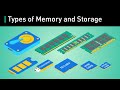
Understanding Computer Memory: RAM, ROM, HDD, SSD, and More
Explore the fundamental types of computer memory and storage, including RAM, ROM, HDD, SSD, and flash drives. Learn how each type functions, their advantages, and their role in computing performance.

Understanding Snooping Based Cache Coherence Protocol Explained
Explore the detailed working principles of the snooping based cache coherence protocol, including its role in maintaining uniformity across processors. This session covers cache states, read/write strategies, and real-world applications in modern multiprocessors.

Understanding the Register Modifier in Memory Hierarchy
Explore the concept of the register modifier in programming, its role in memory hierarchy, and how it optimizes variable access by hinting the compiler to use fast register memory. Learn why register variables improve performance and the compiler's role in managing them.

Comprehensive Guide to Computer Architecture and RISC-V Overview
Explore the fundamentals of computer architecture focusing on CPU components, memory hierarchy, bus systems, and instruction execution. This session includes an introduction to various architectures like RISC-V and their practical applications in modern processors.
Most viewed summaries

A Comprehensive Guide to Using Stable Diffusion Forge UI
Explore the Stable Diffusion Forge UI, customizable settings, models, and more to enhance your image generation experience.

Kolonyalismo at Imperyalismo: Ang Kasaysayan ng Pagsakop sa Pilipinas
Tuklasin ang kasaysayan ng kolonyalismo at imperyalismo sa Pilipinas sa pamamagitan ni Ferdinand Magellan.

Mastering Inpainting with Stable Diffusion: Fix Mistakes and Enhance Your Images
Learn to fix mistakes and enhance images with Stable Diffusion's inpainting features effectively.

Pamamaraan at Patakarang Kolonyal ng mga Espanyol sa Pilipinas
Tuklasin ang mga pamamaraan at patakaran ng mga Espanyol sa Pilipinas, at ang epekto nito sa mga Pilipino.

How to Install and Configure Forge: A New Stable Diffusion Web UI
Learn to install and configure the new Forge web UI for Stable Diffusion, with tips on models and settings.
Found this summary useful?
Take it with you. One click puts it in your own LunaNotes library.
Save to LunaNotes