Subtitles for CompTIA A+ 1201 Network Hardware Secrets (Obj. 2.5)
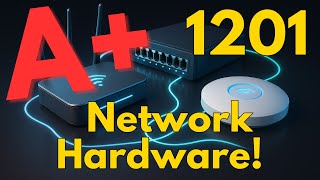
CompTIA A+ 1201: Network Hardware SECRETS! (Obj. 2.5 Review)
Techvault Academy
SRT - Most compatible format for video players (VLC, media players, video editors)
VTT - Web Video Text Tracks for HTML5 video and browsers
TXT - Plain text with timestamps for easy reading and editing
Scroll to view all subtitles
We're on objective 2.5, comparing and
contrasting common networking hardware
devices. Let's get familiar with the
essential building blocks of any
network. Think of your network as a
bustling city. Routers are the traffic
cops sitting at layer 3 guiding data
packets between different network
neighborhoods or IP subnets using IP
addresses stored in their routting
tables. They are versatile connecting
different types of networks like your
home lan to the internet. Sometimes a
high-end switch with routing
capabilities known as a layer 3 switch
can perform these functions too. Within
a single local network, switches are the
efficient street directors. They connect
your wired devices, computers, printers,
servers, forwarding traffic rapidly
within the len based on physical MAC
addresses. They use specialized hardware
called A6 for high-speed performance and
can have many ports. We have two main
types. Unmanaged switches are your basic
plug-and-play option, like a simple
power strip for your network cables.
They require no configuration. They're
great for small, simple setups, but
offer no advanced features like VLANs or
remote management.
Managed switches, on the other hand, are
the smart controllers for larger
networks. They offer powerful features
like creating VLANs to segment traffic
into different virtual networks. Quality
of service QoS to prioritize important
traffic like voice or video. Support for
redundancy protocols like spanning tree
to prevent network loops and port
mirroring which copies traffic from one
port to another for monitoring. Plus,
you can configure and manage them
remotely. Access points APs act as a
bridge translating signals between your
wired Ethernet network and your wireless
devices. Unlike many home wireless
routters, a dedicated AP doesn't
typically perform routting itself. It
extends the wired network wirelessly,
making forwarding decisions based on MAC
addresses.
To keep office wiring organized, we use
patch panels. Think of a central
switchboard in your network closet.
Permanent cables from wall jacks run to
the back of the patch panel. Then short
flexible patch cables. Connect the front
ports of the panel to your switches.
This makes it easy to reconfigure
connections without rerunning long
cables through walls. Protecting your
network city are firewalls. Traditional
firewalls act like basic guards
filtering traffic based on port numbers
and IP addresses. Next generation
firewalls, NGFWs or UTM unified threat
management devices are much smarter
security guards.
They inspect the actual content and
applications offering features like
intrusion prevention, anti-malware and
content filtering.
Many firewalls also function as VPN
concentrators for secure remote access
or even as routers. Ever powered a
device through its network cable? That's
power over Ethernet or PoE. It's like a
special Ethernet cable that delivers
both data and electricity. Perfect for
devices like security cameras, VIP
phones, or wireless APS in locations
without power outlets. Power can be
supplied by a PoE capable switch called
NSPAN or in span power or by adding a
PoE injector, a midspan device to an
existing non-PoE network line. There are
different PoE standards. The original
PoE 802.3 AAF provides up to about 15
watts. Good for basic phones. POEI plus
802.3 at offers up to about 30 watts for
devices like pan tilt zoom cameras and
POE plus 802.3BT
provides even more 60 to 100 W for
hungrier devices. Higher standards are
generally backward compatible.
Now for connecting to the internet, a
cable modem is your gateway if internet
comes via your TV cable provider. Using
the DOCIS standard to translate cable
signals to Ethernet, these are known for
high speeds. DSL or digital subscriber
line provides internet over traditional
copper phone lines. DSL speed is very
dependent on your distance from the
phone company's central office.
If you have superfast fiber optic
internet, an optical network terminal or
is the device that converts those light
signals into usable Ethernet for your
router or computer. The is typically
located at the demarcation point or to
mark the boundary where your ISP's
network responsibility ends.
Finally, the fundamental piece for wired
network connection on any device is the
network interface card or nick. It's
your devices network passport.
Nicks can be built into the motherboard
or added as expansion cards. Every
single nick has a unique permanent
hardware address burned into it called a
MAC address, media access control
address.
Switches use these MAC addresses to
precisely deliver data frames to the
correct device on the local network
segment. Understanding these hardware
pieces and their distinct roles is
crucial for A+ networking. That's a wrap
for Objective 2.5. Stay tuned for more.
Thanks for joining TechVault Academy.
[Music]
Full transcript without timestamps
We're on objective 2.5, comparing and contrasting common networking hardware devices. Let's get familiar with the essential building blocks of any network. Think of your network as a bustling city. Routers are the traffic cops sitting at layer 3 guiding data packets between different network neighborhoods or IP subnets using IP addresses stored in their routting tables. They are versatile connecting different types of networks like your home lan to the internet. Sometimes a high-end switch with routing capabilities known as a layer 3 switch can perform these functions too. Within a single local network, switches are the efficient street directors. They connect your wired devices, computers, printers, servers, forwarding traffic rapidly within the len based on physical MAC addresses. They use specialized hardware called A6 for high-speed performance and can have many ports. We have two main types. Unmanaged switches are your basic plug-and-play option, like a simple power strip for your network cables. They require no configuration. They're great for small, simple setups, but offer no advanced features like VLANs or remote management. Managed switches, on the other hand, are the smart controllers for larger networks. They offer powerful features like creating VLANs to segment traffic into different virtual networks. Quality of service QoS to prioritize important traffic like voice or video. Support for redundancy protocols like spanning tree to prevent network loops and port mirroring which copies traffic from one port to another for monitoring. Plus, you can configure and manage them remotely. Access points APs act as a bridge translating signals between your wired Ethernet network and your wireless devices. Unlike many home wireless routters, a dedicated AP doesn't typically perform routting itself. It extends the wired network wirelessly, making forwarding decisions based on MAC addresses. To keep office wiring organized, we use patch panels. Think of a central switchboard in your network closet. Permanent cables from wall jacks run to the back of the patch panel. Then short flexible patch cables. Connect the front ports of the panel to your switches. This makes it easy to reconfigure connections without rerunning long cables through walls. Protecting your network city are firewalls. Traditional firewalls act like basic guards filtering traffic based on port numbers and IP addresses. Next generation firewalls, NGFWs or UTM unified threat management devices are much smarter security guards. They inspect the actual content and applications offering features like intrusion prevention, anti-malware and content filtering. Many firewalls also function as VPN concentrators for secure remote access or even as routers. Ever powered a device through its network cable? That's power over Ethernet or PoE. It's like a special Ethernet cable that delivers both data and electricity. Perfect for devices like security cameras, VIP phones, or wireless APS in locations without power outlets. Power can be supplied by a PoE capable switch called NSPAN or in span power or by adding a PoE injector, a midspan device to an existing non-PoE network line. There are different PoE standards. The original PoE 802.3 AAF provides up to about 15 watts. Good for basic phones. POEI plus 802.3 at offers up to about 30 watts for devices like pan tilt zoom cameras and POE plus 802.3BT provides even more 60 to 100 W for hungrier devices. Higher standards are generally backward compatible. Now for connecting to the internet, a cable modem is your gateway if internet comes via your TV cable provider. Using the DOCIS standard to translate cable signals to Ethernet, these are known for high speeds. DSL or digital subscriber line provides internet over traditional copper phone lines. DSL speed is very dependent on your distance from the phone company's central office. If you have superfast fiber optic internet, an optical network terminal or is the device that converts those light signals into usable Ethernet for your router or computer. The is typically located at the demarcation point or to mark the boundary where your ISP's network responsibility ends. Finally, the fundamental piece for wired network connection on any device is the network interface card or nick. It's your devices network passport. Nicks can be built into the motherboard or added as expansion cards. Every single nick has a unique permanent hardware address burned into it called a MAC address, media access control address. Switches use these MAC addresses to precisely deliver data frames to the correct device on the local network segment. Understanding these hardware pieces and their distinct roles is crucial for A+ networking. That's a wrap for Objective 2.5. Stay tuned for more. Thanks for joining TechVault Academy. [Music]
Keep this transcript
Save it to LunaNotes and it becomes a real note in your library — editable, searchable, and ready to turn into flashcards or a diagram. Free to start.
Save to LunaNotesOr download subtitles for another video.


32K+ people have turned 65K+ videos into notes
“Very useful tool. I'm using it for the last couple weeks and I'm loving it so far. Makes learning on YouTube a great experience.”
 Bhai Chrome Web Store review
These subtitles were extracted using the Free YouTube subtitle downloader by LunaNotes.
Related videos
Download Captions for FREE CCNA Lab 052 InterVLAN Routing
Access accurate and easy-to-follow captions for the FREE CCNA Lab 052 video on InterVLAN Routing, including SVI and Router on a Stick techniques. Enhancing your learning experience, these subtitles help you better understand networking concepts and configurations.
Download Wi-Fi 4-Way Handshake Subtitles for Better Understanding
Download accurate subtitles for the Wi-Fi 4-Way Handshake video to enhance your learning experience. Captions help clarify complex concepts and improve comprehension for all viewers. Access downloadable subtitles now to study networking protocols effectively.

Manual Software Testing Training Part-1 Subtitles Download
Download accurate and clear subtitles for Manual Software Testing Training Part-1 to enhance your learning experience. Subtitles help you understand complex concepts easily and follow along with the video at your own pace.

Download Subtitles: How To Learn Hacking – A Practical Demo
Get the complete subtitles for the 'How To Learn Hacking' practical demo. Enhance your learning by reading along with key steps and commands, perfect for following complex demonstrations.

Download Subtitles for 2022 ICT Mentorship Episode 2 Video
Enhance your understanding of the 2022 ICT Mentorship Episode 2 by downloading accurate subtitles. Subtitles make it easier to follow technical discussions and ensure you don’t miss any important insights. Perfect for learners who prefer reading along or need accessibility support.
Most viewed

Untertitel für 'Nicos Weg' Deutsch lernen A1 Film herunterladen
Laden Sie die Untertitel für den gesamten Film 'Nicos Weg' herunter, um Ihr Deutschlernen auf A1 Niveau zu unterstützen. Untertitel helfen Ihnen, Wortschatz und Aussprache besser zu verstehen und verbessern das Hörverständnis effektiv.

Subtítulos para TIPOS DE APEGO | 6 DE COPAS Episodio 56
Descarga los subtítulos para el episodio 56 de la tercera temporada de 6 DE COPAS, centrado en los tipos de apego. Mejora tu comprensión y disfruta del contenido en detalle con nuestros subtítulos precisos y accesibles.

Download Subtitles for Harvard CS50 2026 Computer Science Course
Enhance your learning experience with downloadable subtitles for the Harvard CS50 2026 full computer science course. Easily follow along with lectures, improve comprehension, and access the content offline anytime. Perfect for students and enthusiasts aiming to master computer science concepts.

ดาวน์โหลดซับไตเติ้ล DMD LAND 3 The Final Land Day 1
ดาวน์โหลดซับไตเติ้ลสำหรับวิดีโอ DMD LAND 3 The Final Land Day 1 เพื่อช่วยให้เข้าใจเนื้อหาได้ง่ายขึ้น และเพิ่มความสะดวกในการติดตามทุกช่วงเวลา เหมาะสำหรับผู้ชมที่ต้องการความชัดเจนและเข้าถึงข้อมูลอย่างครบถ้วน

Descarga Subtítulos para NARCISISMO | 6 DE COPAS - Episodio 63
Accede fácilmente a los subtítulos del episodio 63 de '6 DE COPAS', centrado en el narcisismo. Descargar estos subtítulos te ayudará a entender mejor el contenido y mejorar la experiencia de visualización.
Found this transcript useful?
Take it with you. One click puts it in your own LunaNotes library.
Save to LunaNotes