Overview of Number Systems in Programming
Programming commonly uses different number systems:
- Decimal (Base 10): The everyday number system, digits 0-9.
- Binary (Base 2): Used internally by computers, digits 0-1.
- Octal (Base 8): Digits 0-7, used in some computing contexts.
- Hexadecimal (Base 16): Digits 0-9 and A-F, widely used in representing MAC addresses and IPv6.
Learn more about the foundational concepts in the Understanding the Real Number System: Key Concepts and Definitions.
Why Use Different Number Systems?
- Binary: Fundamental to how data is stored and processed.
- Octal and Hexadecimal: More compact representations of binary data.
- Decimal: User-friendly for input/output operations.
See detailed explanations and practical implications in Understanding Data Representation in C Programming.
Converting Decimal to Binary Manually
To convert a decimal number (e.g., 25) to binary:
- Divide the number by 2.
- Write down the remainder.
- Divide the quotient by 2 again.
- Repeat until the quotient is 0.
- Read the remainders in reverse order to obtain the binary number.
Example for 25:
- 25 ÷ 2 = 12, remainder 1
- 12 ÷ 2 = 6, remainder 0
- 6 ÷ 2 = 3, remainder 0
- 3 ÷ 2 = 1, remainder 1
- 1 ÷ 2 = 0, remainder 1
Reading remainders in reverse: 11001 (binary).
For a deeper understanding of working with number systems in Python, consider reviewing Основы работы с переменными и типами данных в Python.
Using Python for Number System Conversion
Python provides built-in functions to convert numbers:
bin(25)returns'0b11001'for binary.oct(25)returns'0o31'for octal.hex(25)returns'0x19'for hexadecimal.
The prefixes (0b, 0o, 0x) indicate the number system.
Learn more about nuances of octal values and related conversions in Understanding Octal Values and Macro String Replacement in C Programming.
Converting Binary to Decimal
To convert a binary number like 0b10101 to decimal, Python automatically recognizes the prefix:
int('0b10101', 2) # returns 21
Manually, calculate:
- Multiply each binary digit by 2 raised to the power of its position (starting from 0 on the right).
- Sum the results.
Example: 10101 = (1×24) + (0×23) + (1×22) + (0×21) + (1×20) = 16 + 0 + 4 + 0 + 1 = 21.
Practical Tips & Homework
- Practice converting numbers manually and using Python functions.
- Try converting decimal values like 21, 52, and 65 to binary.
- Convert binary numbers such as
0b110011010back to decimal.
Understanding these conversions strengthens your grasp on bitwise operations and data representation in programming. This foundational knowledge is essential for fields like networking (MAC, IPv6), computer architecture, and low-level programming.
For extended insights into data types and ranges which support these operations, visit Understanding Integer Data Type: Size, Range, and Number Systems Explained.
If you have questions or want further explanations on specific conversions or bitwise operations, feel free to ask in the comments!
[Music] welcome back aliens my name is Naveen ready and let's continue with the series
on Python now in this video we'll talk about binary formats in fact not just vanity we'll talk about different number
systems normally when you work in the programming world we work with money format and we work with decimal system
so in the programming world we use a binary system and a decimal system but apart from this we have two more system
which is octal and hexadecimal now when do we use all this stuff so they're talking field we use MAC address right
which is normally defined in hexadecimal format same goes for ipv6 which is defined in accessible format in your
computer via a format in in normal system we use decimal system so let's understand how do we convert this values
from one system to other system now of course you can do it on paper and you can or you can do it in a software or we
use with the help of codes now before understanding how do you convert this using Python let's try it on paper first
you know we can in fact we can do it so if I open my ideally you can convert a number from decimal to binary format
example if I if I want to convert a number let's say 25 so we have this number 25 I want to convert this into a
body format now I don't know how many people of you how many of you know how to convert a number the body format so
people who are very big no to the programming well they might not be knowing it and if you have experience
that's great now if you don't know how money for my two works I would recommend you to go and watch some videos on money
format all will try to do some in this video let's say I want to convert this we can use a function called as bin so
using big functions we can convert a number from decimal system to panel system now when you say decimal system
it means the base of the system is 10 and in balanced system the base is 2 which means in decimal system we can go
from 0 to 9 so we have 10 digits in balanced system we can go from 0 to 1 2 digits and that's why we say its bits
binary digits right so we have one in format there in fact we have octal system where we have eight digits so it
starts with zero and it ends at 7 on the other hand we have hexadecimal system where we have 16 as a base now it starts
with 0 it goes till 9:00 and after night it goes from A to F so in total we have 16
so now let's come back from decimal to binary we'll click on enter you can see this is your money format it's so simple
you just need to use our function and in package up to pass 25 but hold on how do you convert this number and even if you
so even if you get this output how do you know this is a this is a correct output so let me just take some time to
explain you how to convert a number from a decimal system tobin a system so for that let me open my paint so let's try
to understand how it works so let's say we have a number 25 see we'll go for number 25 here and if I want to find a
decimal for a body format of this 25 whatever it is you have to divide this number by 2 so whatever system you have
so example if you want to convert from decimal to octal decimal to hexadecimal system you divide divide here to divide
this number by that systems example here I want to find one in format so I will divide this by 2 now everyone knows
right so it is 2 into 12 you will get 24 so the defender is 1 so when you say 2 into 12 we call it 24
and the remainder is 1 you have to continue this so you have to say to you will get 6
so 2 into 6 you will get 12 so the remainder is 0 then we have 2 into 3 the remainder is 0 again and then we got 2
into 1 which is amenda is what in this case because 2 into 1 is 2 and then 3 minus 2 is 1 now this is your numbers
you know so this is your money format so this is how you convert from decimal to binary format but how do we read this so
we have to read this in a reverse order so you have to start from this and then you have to go to top so which is in
this case this is 1 then we have this is 1 0 0 1 so this is a binary format of 25 so these are you this is how you convert
a number from the symbol system to manage money format it's so simple let me go back to the idea here and here
what I will do is so this you can see the number here we call it 1 1 0 0 1 the same number but what is before that you
can see we called 0 and B that's how you represent a binary format so if you want to say there's a number which is 1 1 0 0
1 and you might be thinking if you've got this number this may be decimal right so to specify that hey this is not
a decimal we will use 0b okay that's very important in fact you can convert a
number from binary system to decimal system it's very easy just say it's 0b I will use a number which is 1 0 1 0 1 in
this case which is actually a number five right so I will say enter you can see we got five so before the number
before the ballet format if you put zero P that means your the number is 1 in format and it will give you the output
in decimal format we do the same thing for octal right so example it's got the same number I will say o which function
we have to use our you can guess right so for Manatee we have been four octal it should be opt right and then we will
give a number which is 25 I will say enter now this is octal format so the octal conversion of 25 is 31 but what is
before that it's 0 oh so o is octal right so in the above case we have B that's for binary the same thing can be
done with hexadecimal so I will say hex and I want to find 25 so I will Center you can see this 0 x1 9 and that's very
important which is X here so X is 4 hexadecimal number right in fact I will just try to find the hex of 10 so X of
10 is a right so if I Center you can see we got 0 X a you can do the same thing in reverse order you can say 0 X maybe I
want to find maybe F so in this case F is 15 so if I say enter you got 15 in fact in the subsequent videos which we
are going to see we will be working with different operators like bitwise operator and this video is very
important for the bitwise operators make sure you know how to convert a decimal number into binary format and for that
let me give you some assignments of what you can do is try to convert not on the Python command prompt okay let me do it
by yourself so try to find the panel format of lecture 31 then try to so this is your homework okay so try to find out
bunny format of 21 then 52 then 65 so these are some numbers you can try it out and then you can also do reverse
okay so let's see if I give you binary format I have a number which is 0 B and let's say this is number I don't know
what's the decimal format of this you have to find this as well so in this case it is 4 1 0 but how can we know
that so in that case you can do this in reverse order as well so the number was one one zero zero one one zero one
zero so how do you convert this number to decimal system so first let's try with this number and then you can try
with this number by yourself now when you only want to convert a number from binary to decimal is very
simple take the start on the last number so start with the last number and use two days to zero second last number two
days to one so we have to go for two s two two s two three and two days to four right now this so this number belongs to
one particular number here so for this one we have 2 X 2 4 for this one we have 2 3 right now ignore all the zeros here
because we don't need them focus on your own once so what you will do is first you will find 2 X 2 0 is what toys 0 is
1 2 is to 1 is to 2 it should 2 is 4 okay first of all we don't need these two
numbers right because those are zeros anyway then to 3 is 8 2 days 2 4 is 16 and then once you've got this number I
just need to add them so you can see 16 plus 8 which is 24 24 plus 1 we got 25 so first you have to use this format and
then you have to add all the values you will get DJ's will format the same thing can be done with this you try it out on
your machine and let me know if you have done that so that's it everyone that's how you can you can work with different
number system in Python so I hope you enjoyed this video in the comment section so that's it everyone
bye bye you
Programming commonly uses Decimal (base 10), Binary (base 2), Octal (base 8), and Hexadecimal (base 16). Binary is fundamental for data storage and processing in computers, while Octal and Hexadecimal provide compact representations of binary data. Decimal is used for user-friendly input and output. Understanding these systems is essential for working with various computing concepts like networking and computer architecture.
To convert decimal 25 to binary manually, repeatedly divide the number by 2 and write down the remainders. For 25: 25 ÷ 2 = 12 remainder 1; 12 ÷ 2 = 6 remainder 0; 6 ÷ 2 = 3 remainder 0; 3 ÷ 2 = 1 remainder 1; 1 ÷ 2 = 0 remainder 1. Reading remainders in reverse order gives '11001' as the binary equivalent of 25.
Python offers built-in functions like bin(), oct(), and hex() to convert decimal numbers to binary, octal, and hexadecimal respectively. For example, bin(25) returns '0b11001'. To convert binary strings back to decimal, use int() with the base specified, e.g., int('0b10101', 2) returns 21.
You can convert a binary number string to decimal using Python's int() function by specifying base 2. For example, int('0b10101', 2) returns the decimal number 21. This method automatically interprets the binary prefix '0b' and calculates the decimal equivalent.
Octal (base 8) and hexadecimal (base 16) serve as more compact and readable representations of binary data. Since binary can be lengthy and hard to read, octal and hexadecimal reduce the number of digits while preserving value, simplifying tasks such as debugging, memory addressing, and representing MAC or IPv6 addresses.
Practice manual conversion of decimal numbers like 21, 52, and 65 to binary by dividing by 2 and recording remainders. Also, convert binary numbers such as '0b110011010' back to decimal using Python's int() function with base 2. These exercises reinforce understanding of data representation and bitwise operations crucial in programming.
Number system conversions underpin data representation methods used in networking and computer architecture. For instance, hexadecimal is commonly used to represent MAC addresses and IPv6 due to its compactness. Understanding binary and its conversions supports comprehension of bitwise operations, data storage, and low-level programming critical in these fields.
Keep this summary
Save it to LunaNotes and it becomes a real note in your library — editable, searchable, and ready to turn into flashcards or a diagram. Free to start.
Save to LunaNotesOr summarise for another video.


32K+ people have turned 65K+ videos into notes
“Very useful tool. I'm using it for the last couple weeks and I'm loving it so far. Makes learning on YouTube a great experience.”
 Bhai Chrome Web Store review
This summary and transcript were automatically generated using AI with the Free YouTube transcript summary tool by LunaNotes.
Related summaries
How Computers Work: From Binary Numbers to CPU Design Explained
This comprehensive guide explains how computers work from the ground up, starting with binary number representation and building toward CPU design. The video covers decimal to binary conversion, binary addition and subtraction, and the fundamental principles behind how computers process information using just zeros and ones.
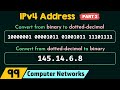
Convert IPv4 Addresses: Binary to Dotted Decimal & Vice Versa
This video provides a comprehensive tutorial on converting IPv4 addresses between dotted decimal and binary notation. Learn a simple, step-by-step method using the 8-bit power-of-two sequence to perform conversions accurately for all four octets of an IPv4 address.

Python Mastery Course: Complete Beginner to Pro Guide (2024)
Learn Python from scratch with this comprehensive guide covering variables, strings, numbers, and essential programming concepts. Master Python for AI, web development, and automation with step-by-step tutorials from an experienced software engineer.

Bit Manipulation in Java: Get, Set, Clear & Update Bit Operations
Learn bit manipulation in Java with this comprehensive guide covering 4 major bit operations: Get, Set, Clear, and Update. Understand bitmasking techniques, left/right shift operators, and see practical code examples to master placement and programming interview questions.

Comprehensive Python Tutorial: Variables, Control Flow, Functions, Classes, and File Handling
This detailed video tutorial covers foundational to advanced Python programming concepts, including variables, operators, user input, control structures, loops, functions, classes with inheritance, exception handling, and file operations. Designed for learners aiming to build practical coding skills, it offers example-driven explanations and program walkthroughs for real-world application.
Most viewed summaries

A Comprehensive Guide to Using Stable Diffusion Forge UI
Explore the Stable Diffusion Forge UI, customizable settings, models, and more to enhance your image generation experience.

Kolonyalismo at Imperyalismo: Ang Kasaysayan ng Pagsakop sa Pilipinas
Tuklasin ang kasaysayan ng kolonyalismo at imperyalismo sa Pilipinas sa pamamagitan ni Ferdinand Magellan.

Mastering Inpainting with Stable Diffusion: Fix Mistakes and Enhance Your Images
Learn to fix mistakes and enhance images with Stable Diffusion's inpainting features effectively.

Pamamaraan at Patakarang Kolonyal ng mga Espanyol sa Pilipinas
Tuklasin ang mga pamamaraan at patakaran ng mga Espanyol sa Pilipinas, at ang epekto nito sa mga Pilipino.

How to Install and Configure Forge: A New Stable Diffusion Web UI
Learn to install and configure the new Forge web UI for Stable Diffusion, with tips on models and settings.
Found this summary useful?
Take it with you. One click puts it in your own LunaNotes library.
Save to LunaNotes