Fact Check: Does Disabling 37 Windows Services Boost Gaming FPS?
Mixed Credibility
19 verified, 4 misleading, 1 false, 2 unverifiable out of 26 claims analyzed
This video offers an extensive guide on disabling 37 Windows services to achieve maximum frame rates and reduce latency, supported by in-game benchmark claims. Fact-checking confirms many of the suggested service disables are safe and can reduce background CPU usage, potentially improving gaming performance modestly. However, some claims are overstated or misleading, such as the extent of FPS increases and safety of disabling certain fundamental services like Bluetooth Support Service. Notably, several service names are either misstated or unclear (e.g., “CIS Main” and 'net loon'), limiting verification and recommending caution. The advertised third-party tool, Gingi Tweaks, is presented as superior but lacks independent evaluation in this context. Overall, while disabling unnecessary services can contribute to system optimization, expectations of dramatic FPS jumps solely from service disabling should be tempered. Users should balance performance gains against loss of functionality and proceed carefully, ideally backing up system configurations before changes.
Claims analysis
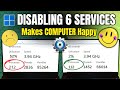
Currently playing around 210 to 220 frames per second before disabling services.
The presenter states an initial FPS measurement but provides no independent verification or exact test conditions, hardware specs, or reproducible data.
Disabling certain Windows services can reduce the number of running processes from 270 to around 100 to 120.
It is a known fact that disabling unnecessary services and startup applications reduces background processes, lowering CPU load and improving system responsiveness.
Disabling BitLocker Drive Encryption service improves gaming performance and is safe to disable if you do not use BitLocker.
BitLocker service is only needed when using BitLocker drive encryption; disabling it on systems not using BitLocker is safe and can marginally reduce background overhead.
Disabling Bluetooth Support Service will not disable Bluetooth functionality but only the support service.
Disabling Bluetooth Support Service generally disables Bluetooth devices that depend on it. Some Bluetooth functions may stop working until the service is enabled again.
Disabling Connected User Experiences and Telemetry service is safe and improves performance.
The telemetry service collects diagnostic data and is safe to disable for privacy and slight performance gains, especially on gaming PCs.
Disabling diagnostic-related services (Diagnostic Execution Service, Diagnostic Policy Service, etc.) is safe and performance improving.
These services handle problem reporting and diagnostics, and disabling them can reduce background activity without impacting day-to-day performance, but at the cost of diagnostic info.
Disabling Downloaded Maps Manager will disable offline maps but is otherwise safe.
This service manages offline maps data. Disabling it will prevent usage of downloaded maps but does not affect general system functions.
Disabling Fax service is safe for users who do not use fax machines.
Fax service is legacy and unnecessary on most modern PCs; disabling it is safe if not used.
Disabling Geolocation Service significantly reduces resource usage and improves performance.
Geolocation service uses minimal resources; disabling it offers negligible performance gains, mainly affects location-based apps.
Disabling 'net loon' service is safe and improves performance.
There is no well-known Windows service named 'net loon'; likely a mispronunciation or typo (possibly 'netprofm' or 'Network Location Awareness'). The impact is uncertain without precise service name.
Disabling Parental Controls service is safe if not used and improves performance.
Parental controls services are unnecessary if unused and can be safely disabled to reduce background processes.
Disabling Phone Service is safe if phone-PC connection is not used.
Phone service supports phone and PC connectivity; disabling it when unused is safe and reduces background activity.
Disabling Print Spooler service is safe if you do not use a printer.
Print spooler manages print jobs; disabling it on non-printing PCs is safe and reduces background resource use.
Disabling Program Compatibility Assistant Service is safe and improves performance.
This service helps with compatibility prompt messages; disabling it can reduce background tasks but may affect compatibility warnings.
Disabling remote registry service is safe and improves security and performance.
Remote Registry is rarely needed on personal PCs; disabling improves security and slightly reduces overhead.
Disabling Retail Demo Service is safe for normal users.
This service is designed for store demo systems; safe to disable on regular PCs.
Disabling Smart Card service is safe if smart card authentication is not used.
Smart Card service is for smart card devices; disabling it if unused is safe and reduces background services.
Disabling the CIS Main service provides a significant FPS increase by removing a system performance bottleneck.
No widely known Windows service called 'CIS Main' exists. The claim that it causes FPS losses and should be disabled is unsubstantiated and possibly incorrect or misnamed.
Disabling Wallet Service is safe if digital wallet features are not used.
Wallet services relate to payment features in Windows; safe to disable if not used.
Disabling Windows Error Reporting service improves performance and is beneficial.
Disabling error reporting may marginally reduce background activity but prevents crash/dump info submission; performance gains are minimal.
Disabling Windows Biometric Service is safe if biometric devices are not used.
If no biometric hardware is used, disabling this service is safe and reduces background services.
Disabling Windows Mobile Hotspot service prevents PC from connecting to phone hotspots, so do not disable if using hotspot.
This service controls mobile hotspot features; disabling it disables hotspot tethering capabilities.
Disabling Work Folders service is safe if not using work folder synchronization.
Work Folders service is for business syncing; safe to disable for most users.
Disabling various Xbox services is safe if you do not use Xbox features and leads to better performance.
Disabling Xbox-related services is common to reduce background processes on gaming PCs not using Xbox features.
Disabling startup apps reduces background load at system boot, improving startup time and performance.
Disabling unnecessary startup programs is a standard optimization practice that improves boot times and reduces background resource usage.
After disabling services, Fortnite FPS increased from around 250 to about 400 frames per second.
While disabling background services can improve FPS, an increase of ~60% in a real-world scenario is unlikely without hardware changes or additional software tweaks; results depend highly on system specs and game settings.
Today I'm showing you 37 services to disable to get maximum frames and zero delay. And of course with real
benchmarks, make sure you watch till the end so your PC can finally run at its full potential. But first of all, what
we need to do is an actual benchmark test. As you can see, right now we're playing around 210 to 220 frames. Let's
say it's around that region. Now, of course, what we need to do is actually disable the services. So, make sure you
guys follow along. It's going to be super simple to do. Now, the first thing that we need to do is literally right
click on the bottom, go on to task manager, just like so. Now on the left side you're going to see services. Once
you're on here go on to open services. Now once this is open you can quickly minimize it and go on to performance. Go
on to CPU and look at your processes right here. I have 270 right now. That is extremely high. Of course by the end
of this video we want to be around 100 to 120. And like every single year comment down below by the way what
processes you started with and what you're going to end with. Now for the actual main event our services. What one
do we disable? Literally just like so. Make sure you guys copy along. What we're going to be doing for the first
one, I'm going to tell you how to disable it. Then after that, of course, I'll just name it. Keep scrolling down,
naming it, and you guys just disable it. And of course, if there's any risky ones, I will let you know. And if I
don't let you know anything, you can 100% disable that service. It'll be completely fine. So, the first one, just
for example, Bit Locker Drive Encryption, right click onto it, just like so. Go on to properties, startup
type, and make sure it's disabled. If on any of them, by the way, the server status is ongoing or it says a timer
right here. All you have to do is stop it. Then starter type disable. Press apply and okay on every single one that
I'm going to name. Again, if it's risky, I will let you guys know. That's the first one already done. So now the
second one that you want to do, Bluetooth support service. This is not going to disable your Bluetooth. Do not
worry. You can disable this one. This is just for support. What you want to do is right click, go on to properties. Again,
starter type disabled. Now, of course, we get the gist. We're going to straight go through it. And do remember at the
end of this video, I will be checking my frames to see if we get a massive increase or not. Now, as for the next
one you want to do, again, scroll down just a tiny bit until you see connected user experiences and telemetry. Again,
right click onto it. You guys get the gist. Completely safe that one is. Now, we can scroll down a little bit more
until we see diagnostic execution servers. Make sure to disable it. And of course, I forgot to mention on the left
hand side, there is a quick description if you guys are unsure what to do. But again, if it's risky, I will let you
guys know. Now, as for the next ones, by the way, it will literally be the three below it. So, diagnostic policy service,
you can disable that one. Diagnostic service host. Disable that one. Diagnostic system host. You can also
disable that one. Now we scroll down just a tiny bit more until we see downloaded maps manager. This is the
first one. May some of you may actually not want to disable this. If you use maps on your PC, disabling this will
disable the downloaded maps. Obviously, it's literally in the name. So, if you use maps on your PC, do not disable it.
But most of us were here for max FPS and zero delay. I know you guys. So, literally disable it if you don't use
maps. We can scroll down just a tiny bit more until we see Again, another kind of important one. If you guys know
what a fax machine is and you use fax, of course, do not disable this. But most of us watching this video don't even
know what a fax machine is. So, if you don't even know what it is, just disable it. Just like so. File history service,
you can disable that one. It's completely fine to do. Geoloccation services, disable this one 100%. This
uses so much users on your PC, it's genuinely unbelievable. Again, scroll down just a tiny bit more. Now, we're
going to be seeing net loon. You can disable that. Completely safe to do. Literally simple as that. Now, next one,
parental controls. Guys, obviously this is self-explanatory. You have parental controls on your PC. Do not disable
this, but of course, if you don't use parental controls, you can disable this. Obviously, disabling this will get you
more frames. And talk about more frames. By the way, if you want the best PC tweaking app made by seven professional
developers, used by esports players. Make sure you check out Gingi Tweaks. I'll leave the link down below. Not only
do we have the best looking app, the best working app, we also of course have the best site in the game. Of course, if
you want to try get Gingi Tweaks right here, use code YT10 to save yourself some money. By the way, genuinely, there
have been so many cases where people have low-end PCs, mid-range PCs going from like 300 frames all the way up to
600. It's super simple to do. Make sure you do check out. And of course on Gingi tweets, by the way, there are
high-risisk tweaks, medium wrist tweaks, low wrist tweaks, and of course, if you just want to use a preset, let's say for
max FPS, you quickly press apply preset or low latency, press apply preset. Simple as that. You also have an AI
system if you're unsure. Now, going back to into our services. And once you're done disabling parental controls, by the
way, we can now move on to the phone services. Make sure that one's disabled. Unless, of course, you're using your
phone on your PC, then do not disable it. And as for Gingi Tweaks, by the way, I'll leave the link down in the
description. Make sure you guys check it out. Now, print spooler. This one's actually very, very important cuz some
of you will actually use your printer. If you do use your PC to print anything, obviously you guys know what I mean.
Make sure you do not disable this cuz I do disable it because I do not use a printer at all. So, if you do, make sure
you do not disable that. As for our next one, program compatibility assistant service, make sure to disable that one.
Completely fine to disable. Now, remote registry, you can disable that one. Retail demo service, disable that one.
Secondary Loon, you can disable that one. Again, we're just going through this straight away. Literally simple as
that. Smart card, disable that one. Simple as that. Now, CIS main. This is so, so controversial. This service right
here can either get you so many more frames or if you keep it enabled, keep your frames literally exactly the same.
Make sure you do disable it. This one's bottlenecking your PC every single time you have it on. And for some of you
quickly thinking, what on earth is this main? As you can see in the description, maintains and improved system
performance over time. So, what's happening? Instead of your components going at 100% every single time you play
your PC, it's going at let's say 90 to 95%. There are frames laying on the table that sysmate is not using because
it wants to maintain and improve system performance over time. We're going to be upgrading our PC in let's say 2 to 3
years anyway. So sis literally does not matter. Now we can scroll down just a tiny bit more until we see wallet
service. If you use your wallet on your PC, do not disable us obviously, but most of us we're not having our wallet
on our PC. So you can disable it literally just like so. Windows error reporting service. This is so bad for
your PC. Make sure that one's disabled. One that we did miss, Windows Biometric Service. Make sure that one's also
disabled. Now, scroll down a little bit more. This one, again, kind of important. Windows Mobile Hotspot
service. If sometimes your Wi-Fi goes down, you want to quickly connect your phone to your PC by doing hotspot. Make
sure you do not disable this. If this is disabled, you cannot connect your PC to any hotspot location, anything like
that. So, make sure that's not disabled if you sometimes use hotspot. Now, as for work folders, you can disable that.
That's completely fine disabled. Now, some of the most important ones on our list, by the way. And of course, once
we're done with this, we will be checking our frames within Fortnite to see if we get more frames or not. Now,
Xbox accessory management service, disable that one. Xbox Live, disable that one. Xbox Live game save, disable
that one. Xbox Live Network and Service, you can also disable that one. Obviously, this one is literally common
sense. If you use Xbox for anything, do not disable this. But if you are using Xbox to let's say clip stuff, do not use
Xbox. use Nvidia GeForce Experience. So, if you're using Xbox right now, switch over to that and you can disable these.
Simple as that. But we're not done with the services just yet because we need to do one more thing within Task Manager.
And whilst you're on Task Manager, what you want to do is go on to startup apps and make sure every single status is
disabled on every single app unless you're definitely going to use it. So, for example, camera hub I have enabled
because I'm going to be using it. Startup apps, by the way, right when you turn your PC on, the app will enable or
open up. Literally says it in the name right there. Now, of course, it's time for the best part. Let's go back into
Fortnite. See if we have more frames. Now, we're back onto Fortnite. All I need to do is turn the statistics back
on. And remember, if you guys think this boost is going to be good, imagine if you had premium Gingi tweaks to help
you. Genuinely, it's 10 times better than these tweaks that I'm showing you. Show statistics. Literally, turn it on
just like so. And again, we're up to 390 frames. Remember, we had 250, I think, maximum at the start of this video. Now
we're all the way up to 400 just because of some little services I told you guys to disable. Now imagine you had a full
premium Gingi tweaks. Genuine, I hope you did enjoy. Please do leave a like and subscribe.
Disabling unnecessary Windows services can modestly reduce background CPU usage and improve gaming performance, but dramatic FPS increases are unlikely solely from this method.
Not all disables are safe; while many are harmless, some services like Bluetooth Support Service are fundamental and disabling them may cause loss of functionality or system issues.
Several service names mentioned, such as “CIS Main” and “net loon,” are either misstated or unclear, making it hard to verify their existence or impact, so caution is advised with those.
The video promotes Gingi Tweaks, but it lacks independent evaluation here, so its effectiveness and safety remain unverified and users should be cautious.
The video's credibility score is 65, indicating moderate reliability; some practical advice is given, but some claims are overstated or misleading, so viewers should approach the recommendations critically.
Users should carefully balance potential performance gains against possible loss of system features, and it's recommended to back up system configurations before making any changes.
Keep this fact check
Save it to LunaNotes and it becomes a real note in your library — editable, searchable, and ready to turn into flashcards or a diagram. Free to start.
Save to LunaNotesOr fact check for another video.


32K+ people have turned 65K+ videos into notes
“Very useful tool. I'm using it for the last couple weeks and I'm loving it so far. Makes learning on YouTube a great experience.”
 Bhai Chrome Web Store review
This fact check was automatically generated using AI with the Free YouTube video fact checker by LunaNotes. Sources are AI-generated and should be independently verified.
Related fact checks
Windows Background Services Fact Check: Disable Unnecessary Services Guide
This fact-check examines claims about Windows background services that purportedly consume resources unnecessarily. Most assertions about which services can be disabled safely are accurate, but some recommendations depend on user scenarios and may vary in impact.

Fact Check: Neuroscientist's Claims on Phone Presence, Multitasking, & Brain Hacks
This fact-check analyzes claims from a cognitive neuroscientist about the impact of visible phones on intelligence, the impossibility of multitasking, and the benefits of boredom for creativity. While some claims are supported by established cognitive science, others are misleadingly absolute, lack specific citations, or simplify complex research findings.

Fact Check: AI Game Mods, Vibe Coding, and the Rise of AI-Generated Software
This fact-check analysis examines a video's claims about AI-generated game mods, 'vibe coding', and the broader impact of AI on software development. The video makes several factual assertions about how AI tools are used, the performance of AI-generated code, and the motivations of companies like Epic Games. We assess the accuracy of these claims, separating technical reality from opinion and hyperbole.

Fact Check: John's Claimed 'Top AI Tools' for 2026 – Mac Bias & Cloud Alternatives
This fact-check analyzes a video transcript where John asserts that using a Windows computer or typing in 2026 severely limits AI capability, while recommending specific tools (Orca IDE, Claude Code, Codex, Grok, Hermes, Whisper Flow, Obsidian). We find that many claims are factually inaccurate or misleading, particularly regarding hardware requirements and tool functionality. The overall credibility is low due to unsubstantiated generalizations and a self-serving narrative.

Fact Check: Managing Phone Addiction and Social Media Habits
This video discusses reducing phone and social media usage through practical habits, citing screen time statistics and strategies including built-in smartphone settings and reading alternatives. We verify the accuracy of these claims and provide context about social media's cognitive impact and behavior change methods.
Most viewed fact checks

Fact Check: April 2026 Regulus-Sphinx Alignment and Biblical Prophecy
This fact-check examines the claim that the star Regulus will align with the Sphinx's gaze at Easter 2026, signalling a significant spiritual or prophetic event as proposed by Chris Bledso. We evaluate the astronomical accuracy of the claimed alignment, the biblical connections, and warnings about deception in prophecy.

Fact Check: April 2026 Rapture Predictions and Related Claims
This video makes multiple prophetic and biblical claims prophesying an imminent rapture event around April 4th to 5th, 2026, linking various visions, interpretations, and speculative timelines. Our fact-check finds that these claims are unsupported by credible evidence or mainstream religious scholarship and involve unverifiable personal revelations and misinterpretations of historical and biblical texts.

Fact Check: Claims About Noah's Ark Discovery on Turkey's Highest Peak
This fact-check examines the sensational claims of an alleged Noah's Ark discovery on a Turkish mountain peak, analyzing the archaeological, scientific, and biblical assertions made. Our investigation finds no credible evidence supporting the extraordinary details presented, many of which contradict established science and historical knowledge.

Fact Check: Prophetic Claims and the Essene Calendar Explained
This video presents claims about the prophetic significance of the Essene calendar, its connection to biblical prophecy, and recent historical events. While some historical facts about the Dead Sea Scrolls and Jewish history are accurate, the prophetic interpretations and calendar correlations remain speculative and unverified by mainstream scholarship.

Fact Check: Zoink's Record Breaks and Impossible Levels in Geometry Dash
This fact check analyzes the claims about Geometry Dash player Zoink's achievements, including his record completions of notoriously difficult levels such as Booambama, Exasperation, and Silent Circles. While most accomplishments verify with community data and documented runs, some details on attempts and timelines require cautious interpretation.
Found this fact check useful?
Take it with you. One click puts it in your own LunaNotes library.
Save to LunaNotes